
4 min read
Download Image With Transparent Background
Transparent images are useful because they drop onto any color or design without a white box around them. That’s why transparent PNGs are used for logos, product photos, overlays, thumbnails, and documents.

This guide covers how to download an image with a transparent background, how to use it properly, and why JPEG isn’t the right format for transparency.
Try BGSnip: https://bgsnip.com
What “transparent background” actually means
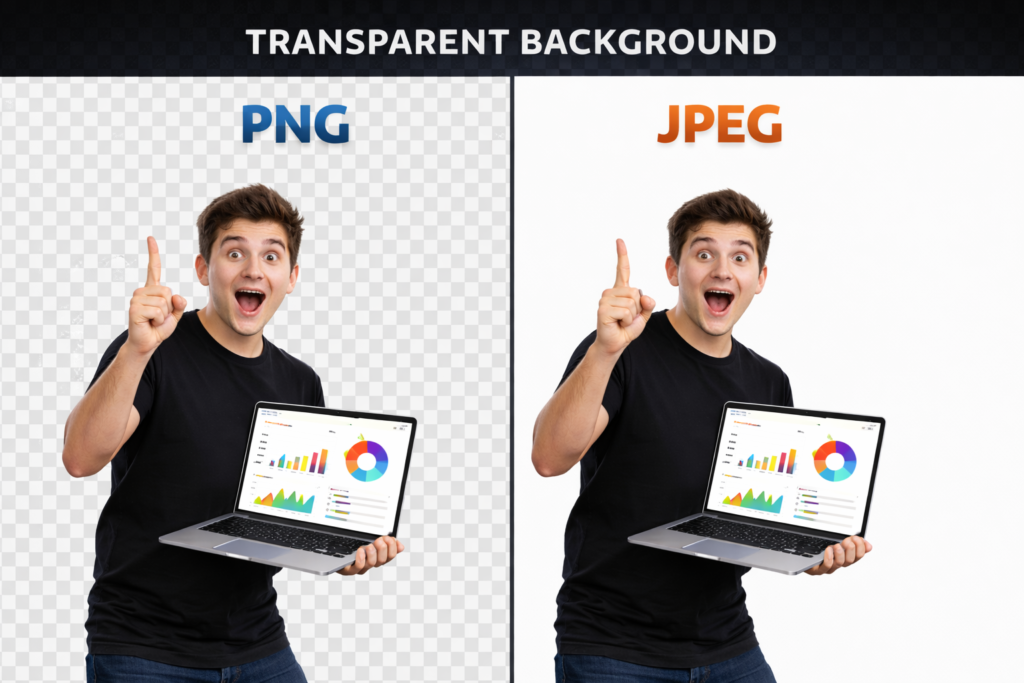
Transparency is stored as an “alpha channel” (per-pixel opacity). Formats like PNG support this well, while JPEG does not support an alpha channel, so it can’t truly store transparency.
If you see a “checkerboard” pattern, that usually means the viewer is showing transparency (it’s not a real background baked into the file).
How to download image with transparent background
How to (steps)
- Open BGSnip: https://bgsnip.com/remove-background-from-image/
- Upload your image (product, logo, person, etc.).
- Let BGSnip remove the background automatically.
- Confirm the preview looks clean around the edges.
- Download the result as a PNG so the transparency is preserved.
No signup required.
Quick checks before you save
- Place the result over a dark background in your editor/viewer to confirm edges are clean.
- Look for halos (light fringe) around hair, logos, or objects.
- If you still see a white box, you probably saved as JPG or the transparency got flattened.
How to use transparent background images
Use cases that are actually practical
Websites and landing pages
Transparent PNGs look clean over gradients, photos, and colored sections. They’re also common for logos in headers and footers.
Product listings and ads
A product cutout saved as transparent PNG lets you reuse the same image in different ad layouts without re-editing.
Thumbnails and overlays
Transparent images are perfect for YouTube thumbnail layouts where a subject is layered over bold text and shapes.
Documents and PDFs
Transparent signatures, stamps, and logos sit cleanly on letterheads and forms.
Can a JPEG have a transparent background?
No. Standard JPEG does not support transparency, because it doesn’t have an alpha channel.
What people often confuse with “transparent JPEG”:
- A JPEG with a clipping path (used in some design software)
- A JPEG placed over a background in an editor, then exported as JPEG (which bakes the background in)
If you need transparency, save as PNG (or another transparency-friendly format like TIFF in some workflows).
Troubleshooting: common issues and fixes
I downloaded it, but it has a white background
You likely downloaded as JPEG, or the app flattened transparency. Download as PNG and re-insert it as an image layer (not as a background).
The transparent PNG shows a checkerboard background
That checkerboard is usually the viewer’s transparency indicator, not a real background. If you place the PNG into another design, the checkerboard won’t appear.
The PNG isn’t transparent in some apps
Some apps don’t display transparency correctly, or they show it as white until placed on a non-white background. Test by placing it over a colored background.
Edges look rough or “halo” shows around the subject
Halos often come from low contrast or backlighting in the original photo. Use a sharper image and avoid strong backlight. If needed, re-upload a better input shot.
FAQ
How to download image with transparent background for free?
Upload the image to BGSnip and download the transparent PNG output.
How do I know my image is truly transparent?
Open it in a tool that shows transparency (checkerboard), or place it on a colored background to confirm no white box appears.
How to use transparent background images on a website?
Upload the PNG and place it over your page section background. PNG keeps transparency so it blends cleanly.
Can a jpeg have a transparent background?
No. JPEG doesn’t support an alpha channel, so it can’t store real transparency.
Why does my “transparent” image turn white after upload?
Some platforms convert files to JPEG automatically. Upload PNG and verify the platform keeps PNG transparency.
What’s the best format for transparent backgrounds?
PNG is the most common and reliable for transparent backgrounds on the web.
Does transparency increase file size?
It can. PNG is lossless, so files may be larger than JPEG, but it’s the right tradeoff when you need transparency.
Additional resources
https://bgsnip.com/transparent-background/
https://bgsnip.com/remove-background-from-image/
https://bgsnip.com/remove-logo-background/
https://bgsnip.com/background-remover-for-youtube-thumbnails/
https://bgsnip.com/blog/
https://developer.squareup.com/blog/transparency-with-jpegs/