3 min read
Thumbnail Cutout: 9 Powerful Techniques That Make Thumbnails Pop
Thumbnail cutout techniques are one of the fastest ways to improve click-through rates on YouTube. In a sea of competing videos, clean cutouts help your face, product, or subject stand out instantly.
If your thumbnails blend into the background, people scroll past. This guide breaks down a simple, repeatable thumbnail cutout workflow that creators use to grab attention and earn more clicks.
Table of Contents
- What a thumbnail cutout is
- Why thumbnail cutouts increase clicks
- Best use cases for thumbnail cutouts
- Simple thumbnail cutout workflow
- Common thumbnail mistakes
What Is a Thumbnail Cutout?
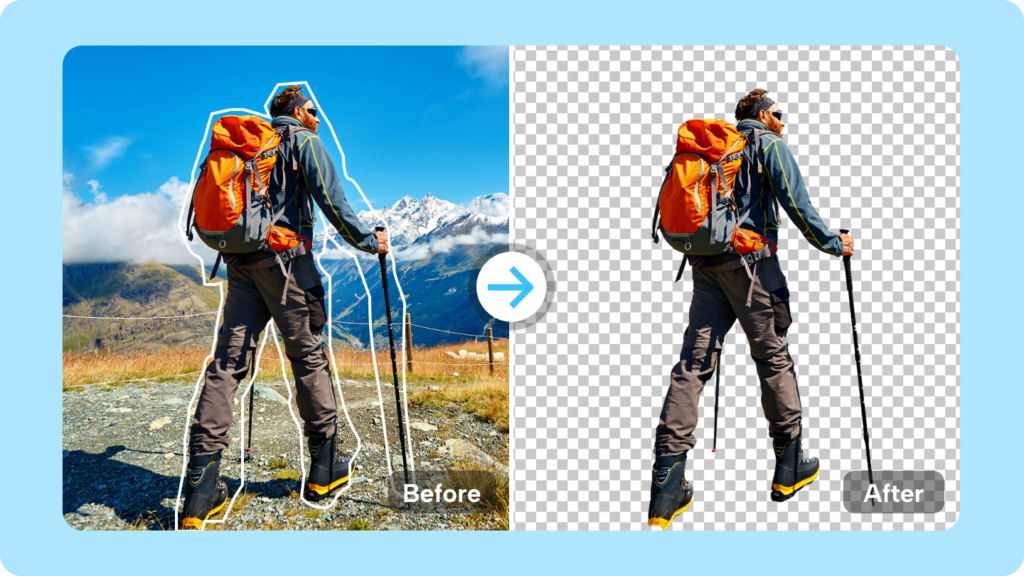
A thumbnail cutout is when the main subject of an image is separated from its background and placed on a clean or high-contrast background.
This technique is commonly used for:
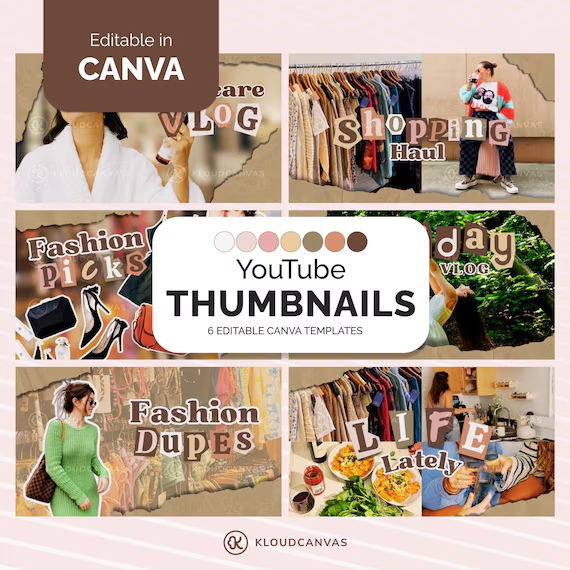
- YouTube thumbnails
- Video previews
- Short-form content covers
- Marketing graphics

Why Thumbnail Cutout Techniques Increase Clicks
YouTube is a visual competition. Thumbnails are scanned in seconds, often on small screens.
Effective thumbnail cutouts:
- Increase contrast
- Highlight facial expressions
- Reduce background noise
- Direct attention instantly
This is why high-performing creators rely on cutouts instead of raw screenshots.
Best Use Cases for Thumbnail Cutouts
Faces and Reactions
Human faces with clear expressions benefit the most from cutouts.
Products and Objects
Cutouts make products easier to recognize at small sizes.
Text-Heavy Thumbnails
Cutouts create space for bold, readable text.
Busy Background Footage
Removing the background prevents visual overload.

Simple Thumbnail Cutout Workflow That Works
1. Choose a High-Contrast Frame
Pick an image where the subject stands out clearly from the background.
2. Remove the Background
Use an automatic or manual method to isolate the subject.
3. Refine the Edges
Clean hair, hands, and outlines for a polished look.
4. Add a Bold Background
Solid colors or soft gradients work best.
5. Apply Shadows or Outlines
Subtle shadows help the cutout feel grounded.
6. Optimize for Small Screens
Zoom out and check readability on mobile size.
7. Export at the Right Size
Standard YouTube thumbnail size is 1280 × 720 pixels.

Common Thumbnail Cutout Mistakes to Avoid
- Messy edges around hair
- Low contrast between subject and background
- Too many elements competing for attention
- Overusing outlines and effects
Simple, bold designs outperform complex ones.
Recommended Tools
Creators often use professional editing tools from Adobe to refine thumbnail cutouts and maintain consistent quality across videos.
Final Thoughts
A strong thumbnail cutout can be the difference between a video getting ignored or clicked.
Focus on clarity, contrast, and simplicity. When your subject stands out instantly, your thumbnails work harder for you.
Internal links:
How to Remove Background From an Image
Background Removal Examples