
3 min read
Transparent Signature PNG: 7 Powerful Ways to Sign PDFs and Docs Cleanly
A transparent signature png lets you sign documents digitally without white boxes, mismatched backgrounds, or unprofessional-looking overlays.
If you sign contracts, invoices, forms, or PDFs regularly, a transparent signature PNG saves time and makes every document look polished and legitimate.
This guide shows how to create a transparent signature PNG, which tools to use, and how to apply it correctly in documents and PDFs.
Table of Contents
- What a transparent signature PNG is
- Why transparent signatures matter
- Best formats for digital signatures
- 7 ways to create a transparent signature PNG
- Common mistakes to avoid
What Is a Transparent Signature PNG?
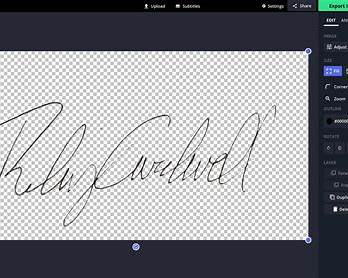
A transparent signature png is an image of your handwritten signature with the background removed. Only the ink strokes remain visible.
This allows the signature to blend naturally into:
- PDF contracts
- Word documents
- Invoices
- Email attachments

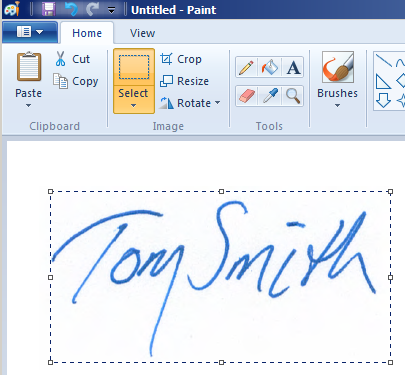
Why Transparent Signature PNG Files Matter
Non-transparent signatures usually have white or colored boxes around them. This looks unprofessional and often raises red flags.
Using a transparent signature PNG:
- Makes documents look official
- Prevents background clashes
- Saves time when signing repeatedly
- Works on any document color
This is especially important for freelancers, business owners, and remote teams.
Best File Formats for Digital Signatures
- PNG: Best option for transparency
- SVG: Useful for scaling, less common
- JPG: Not recommended (no transparency)
For most people, a transparent signature PNG is the safest and most compatible choice.
7 Proven Ways to Create a Transparent Signature PNG
1. Sign on Paper and Scan
Write your signature clearly on white paper, then scan or photograph it.
2. Remove the Background Digitally
Upload the scanned signature and remove the background so only the ink remains.
3. Use a Drawing Tablet or Phone
Sign directly on a screen for cleaner results.
4. Adjust Contrast for Clean Edges
Increase contrast so the signature stands out clearly.
5. Export as PNG With Transparency
Always export as PNG to preserve transparency.
6. Test on Different Backgrounds
Place the signature on white, gray, and colored backgrounds.
7. Save Multiple Sizes
Create small and large versions for different document types.
Common Transparent Signature PNG Mistakes
- Leaving white backgrounds intact
- Low-resolution scans
- Over-thinning the signature lines
- Saving as JPG
Always review your signature at 100% zoom before using it.
Recommended Tools
Professional editing tools from Adobe are commonly used to clean and export transparent signature PNG files with crisp edges.
Final Thoughts
A transparent signature png makes digital signing faster, cleaner, and more professional.
Once created, you can reuse it across contracts, PDFs, and documents without ever re-signing from scratch.
Internal links:
Transparent Logo Background Guide
How to Remove Background From an Image